When you take a photo indoors or at night, your camera flash can be helpful. But sometimes, the flash creates harsh light, red-eye, or unwanted glare. If you want softer, more natural photos, turning off your camera flash is a smart move. Different cameras and phones have different ways to disable the flash. This guide explains simple steps for most devices, with tips for better results.
Table of Contents
How To Turn Off Flash On Popular Devices
Turning off the flash depends on what camera you use. Here’s how to do it on the most common devices.
Smartphones (iphone And Android)
Most people use their phone camera for quick shots. Here’s what to do:
- Open your Camera app.
- Look for the lightning bolt icon (⚡) on your screen.
- Tap it. You will see options like Auto, On, and Off.
- Select Off to disable the flash.
For example, on the iPhone, the flash icon sits at the top left or top right, depending on your model. On Samsung or Google Pixel phones, the steps are similar.
Digital Cameras (point-and-shoot Or Dslr)
- Power on your camera.
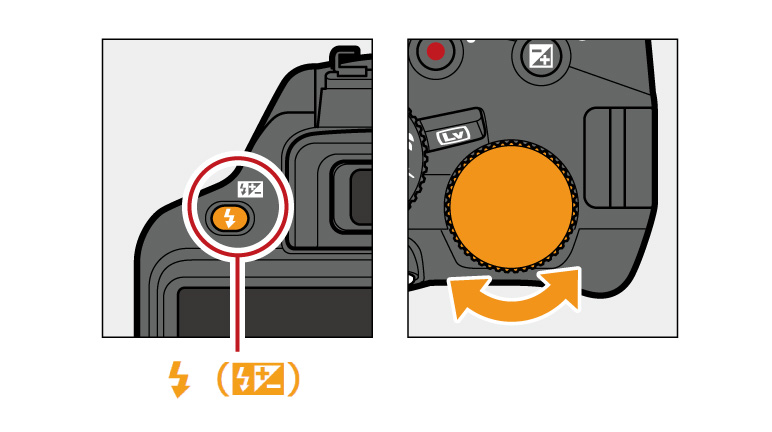
- Find the flash button (often a lightning symbol).
- Press it repeatedly until you see flash off or a flash icon with a slash through it.
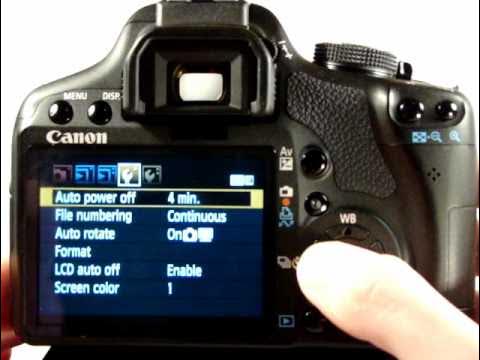
- On advanced cameras, use the menu to select “Flash Off.”
Some cameras let you control flash for each mode (Auto, Portrait, etc. ), so check your manual if you can’t find the option.
Using Camera Modes
If your camera has a “No Flash” or Night Mode, switching to these modes often turns off the flash automatically. Some modes, like “Sports” or “Landscape,” also disable it.
Common Mistakes When Turning Off Flash
Many people turn off the flash but forget these details:
- Low light can cause blurry photos. Hold your device steady or use a tripod.
- Check if your camera resets flash settings each time you close the app or turn off the camera.
- On some apps, flash is controlled separately for photo and video modes.
Here’s a comparison of how image quality changes with and without flash:
| Condition | With Flash | Without Flash |
|---|---|---|
| Indoor, low light | Bright, harsh shadows | Softer, may need steady hands |
| Outdoors, daytime | Can wash out colors | Natural look |
Credit: imaging.nikon.com
Practical Tips For Flash-free Photos
- Use natural light whenever possible.
- Increase your ISO setting to make your camera more sensitive to light.
- Adjust the exposure manually for brighter images.
- Try using a tripod for stability in low light.
Here’s a quick look at when you should consider keeping the flash off:
| Situation | Flash Off Recommended? |
|---|---|
| Portraits | Yes, for soft skin tones |
| Concerts | Yes, avoids disturbing others |
| Wildlife | Yes, does not scare animals |
| Fast Action | No, flash can freeze motion |
Frequently Asked Questions
How Do I Know If My Camera Flash Is Off?
Look for the flash icon (⚡) with a line through it on your screen or display. If you see it, the flash is off.
Why Do My Photos Turn Out Blurry Without Flash?
Low light needs longer exposure times, making the camera more sensitive to movement. Hold steady or use a tripod for sharp photos.
Can I Turn Off Flash For Video Recording?
Yes, most camera apps let you control flash or light separately for video. Look for a small lamp icon instead of the lightning bolt.
Will My Phone Remember The Flash Setting?
Some phones reset the flash to Auto after closing the app. Check your settings before each use.
Where Can I Learn More About Camera Settings?
Visit Wikipedia’s Camera page for in-depth explanations.
Turning off your camera flash gives you more control over your photos. With a few simple steps and these tips, you’ll get better, more natural images in any situation.
Credit: www.youtube.com