If your Ring camera is flashing blue, it’s normal to feel confused or worried. These blue lights are not just random—they’re signals from your device. Understanding what each blue flash means can help you quickly fix problems, improve security, and avoid frustration. Let’s break down the main reasons and what you should do.
Table of Contents
What Does A Flashing Blue Light Mean?
A flashing blue light on your Ring camera shows different statuses or issues. The pattern and speed of the flash are important. Here are the most common meanings:
- Setup mode: Slow blue flashing means your camera is in setup mode, ready to connect to Wi-Fi.
- Connecting to Wi-Fi: A spinning blue light shows the device is trying to connect.
- Two-way talk: Pulsing blue means someone is using the microphone to talk through the app.
- Firmware update: Short blue flashes can mean the device is updating software.
- Motion detected: Quick blue flashes sometimes indicate the camera saw movement.
Common Causes And Fixes
If your Ring camera is flashing blue, consider these possibilities:
1. New Installation
A newly installed camera often blinks blue during the initial setup. Make sure you follow the instructions in the Ring app.
2. Wi-fi Issues
If the blue light keeps spinning or flashing, your camera may not be connecting to Wi-Fi. Check your router and move the camera closer if needed.
3. Firmware Updates
During updates, your camera flashes blue briefly. Wait for a few minutes. If the light keeps flashing for a long time, try restarting the device.
4. Button Press Or Talking
If you pressed the doorbell or someone is talking through the app, the blue light will pulse. This is normal and means the device is working.
5. Error Or Power Issue
Unusual patterns (like rapid flashing that doesn’t stop) can mean errors. Try unplugging the camera or using a different power source.
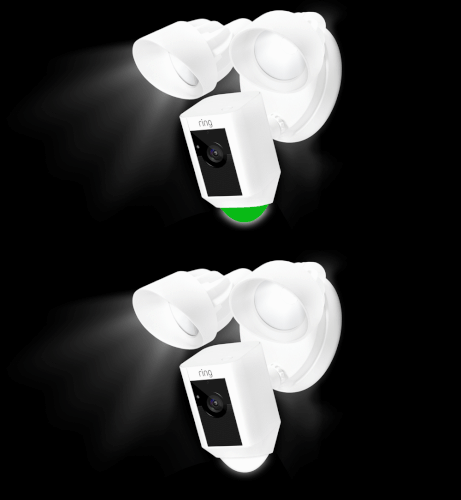
Credit: ring.com
Quick Reference Table: Blue Light Patterns
Understanding the exact pattern can save you time. Here’s a comparison:
| Blue Light Pattern | What It Means |
|---|---|
| Slow flashing | Setup mode |
| Spinning | Connecting to Wi-Fi |
| Pulsing | Two-way talk |
| Short, quick flashes | Firmware update |
Troubleshooting Steps
If you’re not sure what the blue light means, try these steps:
- Restart your device by unplugging it for 30 seconds.
- Reset Wi-Fi connection using the app.
- Check for updates in the Ring app.
- Check power supply if the device won’t stop flashing.
- Contact support if the light stays blue with no clear reason.

Credit: www.reddit.com
Example: Wi-fi Signal Strength
Poor Wi-Fi is a common cause for flashing blue. Here’s how signal strength affects your Ring camera:
| Wi-Fi Signal | Camera Status |
|---|---|
| Strong | Stable connection, no flashing |
| Weak | Flashing blue, connection drops |
Why These Signals Matter
Ignoring a flashing blue light can mean missed alerts or lost footage. Many users don’t realize that regular software updates and good Wi-Fi can prevent most issues. It’s easy to overlook, but a quick check often solves the problem before it becomes serious.
For more official light pattern guides, check Ring’s official support page.

Credit: www.youtube.com
Frequently Asked Questions
Why Does My Ring Camera Flash Blue At Night?
At night, a blue flash often means motion was detected or the camera is adjusting to low light. It’s usually nothing to worry about.
How Do I Stop My Ring Camera From Flashing Blue?
Make sure it’s properly set up, has strong Wi-Fi, and firmware is updated. If the problem continues, try resetting the device.
Is A Flashing Blue Light Dangerous For The Camera?
No, it’s just a status signal. If the blue light stays on for hours, there could be a technical issue.
Can A Flashing Blue Light Mean Someone Is Watching?
A pulsing blue light means two-way talk is active. If you didn’t start it, check your account for unusual activity.
What If My Camera Flashes Blue But Doesn’t Record?
Check Wi-Fi and storage settings. Weak internet or full storage can prevent recordings even if the camera is on.