Using a DJI camera gimbal can quickly take your video quality to the next level. If you want smooth, professional-looking footage, learning how to use this tool is a smart move. Many beginners think using a gimbal is complicated, but it becomes easy with a few key steps and tips.
Whether you’re using a DJI OM series for your phone or a Ronin for your DSLR, the basics are similar. Let’s look at how to get the best results from your DJI camera gimbal.
Table of Contents
Getting Started With Your Dji Gimbal
Before you shoot, charge your gimbal fully. A low battery can cause shaky movements or shutdowns during recording. Attach your camera or phone, making sure it is centered and secure. Unbalanced setups make motors work harder and can lead to damaged equipment.
Next, power on your gimbal. Most DJI gimbals have an auto-calibration feature—activate this in the DJI app or by pressing the relevant button. Calibration ensures the motors work smoothly. If your gimbal supports Bluetooth, connect it to your device for easy control and firmware updates.
| Gimbal Model | Supported Devices | Battery Life (Approx.) |
|---|---|---|
| DJI OM 5 | Smartphones | 6.5 hours |
| DJI Ronin-S | DSLR/Mirrorless | 12 hours |
| DJI RS 3 Mini | Mirrorless | 10 hours |
Mastering Basic Controls
Understanding the basic controls helps you shoot confidently.
- The joystick lets you adjust the angle of your camera smoothly.
- The trigger (usually on the front) can lock the gimbal or switch shooting modes.
- Use the mode button to change between Pan Follow, Lock, and FPV modes.
For best results, practice slow and steady movements. Quick shakes or sudden turns can confuse the gimbal motors. Try to walk heel-to-toe to reduce body movement, which keeps footage smooth.

Credit: www.youtube.com
Shooting Techniques And Tips
Use the DJI app to access extra features like ActiveTrack, which lets the gimbal automatically follow a moving subject. This is perfect for filming people or pets in action. Another feature is Timelapse, which can add creative effects to your videos.
| Feature | When to Use | Benefit |
|---|---|---|
| ActiveTrack | Moving subjects | Keeps focus on target |
| Timelapse | Changing scenes | Dynamic effect |
| Panorama | Wide landscapes | Stitches large view |
One non-obvious tip: always double-check your balance if you change lenses or add accessories. Even a small change can affect stability. Also, avoid using the gimbal in heavy wind, as strong gusts can overpower the motors.
Care And Maintenance
After each use, power off the gimbal and remove your device. Store it in a padded case to protect the motors and sensors. Update firmware regularly through the DJI app for better performance and new features. For more details, check DJI’s official support page.
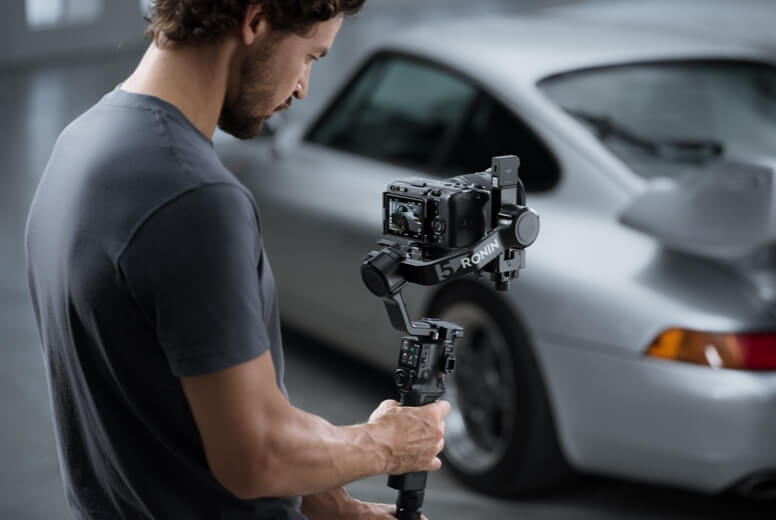
Credit: store.dji.com
Frequently Asked Questions
How Do I Balance My Camera On A Dji Gimbal?
Place your camera in the mount and adjust it until it stays level without holding it. Lock it in place before turning on the gimbal.
Can I Use Dji Gimbals In The Rain?
It is not recommended. Most DJI gimbals are not waterproof. Exposure to water can damage electronics.
Why Is My Gimbal Shaking?
Common reasons include incorrect balance, low battery, or heavy wind. Recalibrate and check for proper setup.
What Is The Best Mode For Walking Shots?
Pan Follow mode is often best for walking, as it keeps the horizon stable while following your movement.
How Often Should I Calibrate My Gimbal?
Calibrate whenever you change cameras, lenses, or notice unstable movement. Regular calibration keeps performance optimal.
A DJI camera gimbal can transform your filmmaking. With practice and the right techniques, your videos will look smooth and cinematic every time.