Knowing when your Ring Camera battery is fully charged saves you time and prevents overcharging. Many users get confused by the different lights and app notifications. Here, you’ll learn the clear signs your Ring Camera battery is ready, plus common mistakes and extra tips to make charging simpler.
Table of Contents
Signs Your Ring Camera Battery Is Charged
Ring uses multiple indicators to show charging status. Here are the main ways to check:
- LED Light on the Battery: While charging, the battery’s small LED light glows red. When it turns solid green, your battery is fully charged.
- Ring App Notification: In the Ring app, go to Device Health. When the battery is at 100%, it will display “Fully Charged.” If you remove and reinsert a charged battery, the app may need a few minutes to update.
- Charger Indicators: If you use the Ring Charging Station, it shows a solid green light when charging is complete.
Example Charging Times
A typical Ring battery (3400 mAh) needs about 5-10 hours to charge from 0% to 100% using a standard USB charger. Fast chargers may reduce this time by up to 30%.
Comparing Ring Battery Indicators
Here’s a quick comparison of what each indicator means:
| Indicator | Charging | Charged |
|---|---|---|
| Battery LED | Red | Green |
| Ring App | Battery icon not full Shows % left | 100% “Fully Charged” |
| Charging Station | Flashing green | Solid green |
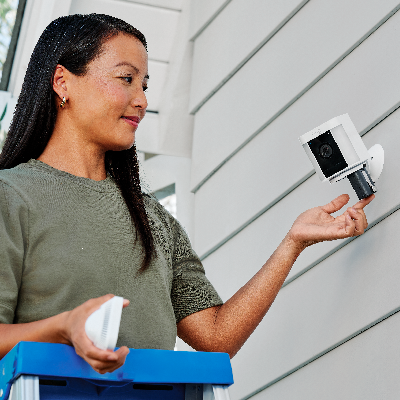
Credit: ring.com
Steps To Check Battery Status
- Remove the battery from your Ring device.
- Plug it into the charger using the micro-USB cable.
- Watch the LED light during charging.
- Open the Ring app and check Device Health.
- Wait for the battery to show 100% in the app before reinstalling.
Common Mistakes And Useful Tips
A frequent mistake is unplugging the battery too early because the app shows a high percentage. Always wait for the solid green light on the battery or charging station. Another tip: after reinserting the battery, give the device a few minutes to connect and update status in the app.
For faster charging, use a 2.1A USB charger instead of a standard phone charger. This can save up to 2 hours per cycle.
Here’s how different chargers compare:
| Charger Type | Average Charging Time |
|---|---|
| Standard USB (1A) | 8-10 hours |
| Fast USB (2.1A) | 5-6 hours |
Some users forget to clean battery contacts. Dirty contacts can slow charging or cause errors. Wipe them gently with a dry cloth before charging.

Credit: www.youtube.com
Frequently Asked Questions
How Long Does A Ring Battery Last After Charging?
A fully charged Ring battery usually lasts 2-6 months, depending on usage and weather.
Does The Ring App Always Show The Correct Battery Level?
The app updates after the device connects to Wi-Fi. There can be a 5-10 minute delay after reinserting the battery.
Can I Overcharge My Ring Battery?
No, Ring batteries have built-in protection to stop charging when full.
What If My Battery Never Shows Green?
Check the charger, cable, and contacts. Try a different charger. If the problem continues, the battery may be faulty.
Where Can I Find Official Charging Instructions?
Visit the Ring Support Center for detailed, up-to-date information.
With these tips, you’ll always know when your Ring Camera battery is charged and ready to protect your home.