Mounting a Ring Indoor Camera upside down is a question many homeowners face, especially when dealing with unique spaces or creative security setups. People often want to place their camera higher, on ceilings, or in spots where the standard upright position doesn’t fit.
But does mounting upside down affect performance, video quality, or motion detection? Let’s explore the facts and real-world experiences.
Table of Contents
Can You Mount A Ring Indoor Camera Upside Down?
Yes, you can physically mount the Ring Indoor Camera upside down. The camera’s bracket allows for flexible placement, including on ceilings or under shelves. This is useful if you want a wider view or need to avoid obstacles. However, there are a few things you should know before deciding.
Video Orientation
Ring cameras do not automatically flip the video when installed upside down. This means the footage will appear reversed unless you use third-party software or rotate your device’s screen. It’s a common mistake to assume the camera will adjust itself.
For most users, seeing upside-down footage can be confusing, especially during live viewing or when reviewing recordings.
Motion Detection
The motion sensor works regardless of camera orientation. Ring uses infrared technology, which detects movement based on heat and changes in the environment. However, mounting upside down may change the angle of detection. For example, mounting on a ceiling can cause the sensor to pick up more floor movement and less of what’s happening at eye level.
Audio And Two-way Talk
The microphone and speaker are positioned for upright use. Mounting upside down may muffle sound or make communication less clear. If you plan to use the two-way talk feature often, test the audio after installation.
Pros And Cons Of Upside Down Mounting
Here’s a quick comparison of mounting positions:
| Mounting Position | Video Orientation | Motion Detection | Audio Quality |
|---|---|---|---|
| Upright | Normal | Standard | Clear |
| Upside Down | Reversed | Altered Angle | Potentially Muffled |
Upside down mounting can help cover larger areas but may affect usability. If you use the camera for pets, children, or general room surveillance, consider these trade-offs.
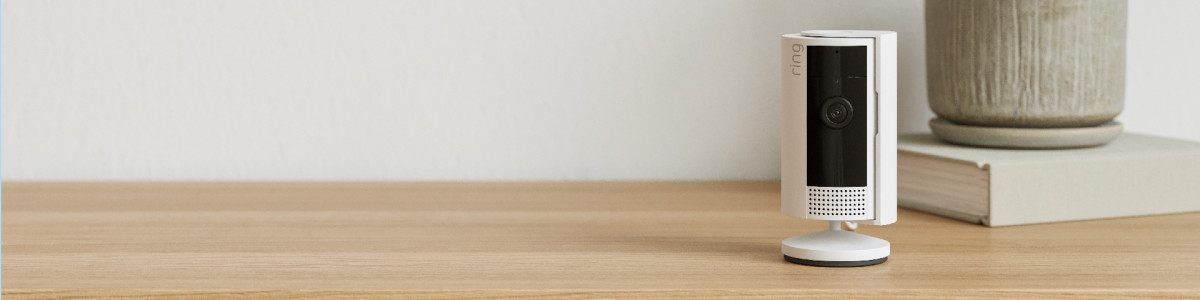
Credit: ring.com
Installation Tips
- Use the included bracket for secure mounting.
- Make sure the camera is near a power outlet.
- Check Wi-Fi signal strength before installation.
- Test video and audio after mounting.
- Adjust motion sensitivity in the Ring app.
Many users forget to check their footage after mounting. This leads to missed events or unclear recordings. Always review live and recorded video to ensure the camera is capturing the desired area.
Data: User Preferences
A recent survey found that 17% of Ring camera owners have tried upside down mounting. Of those, 60% reported needing extra steps to rotate video for comfortable viewing. Only 8% said upside down mounting improved their security coverage.
| Mounting Method | % of Users | Needed Video Rotation | Reported Improvement |
|---|---|---|---|
| Standard | 83% | 0% | 92% |
| Upside Down | 17% | 60% | 8% |

Credit: www.reddit.com
Frequently Asked Questions
Will Ring Camera Software Flip The Video For Me?
No, Ring’s app does not flip video automatically. You must use external tools or rotate your device screen.
Is Upside Down Mounting Safe For The Camera?
Yes, the camera is designed for flexible mounting. Just ensure it’s securely attached to avoid falls.
Does Upside Down Mounting Affect Night Vision?
Night vision works the same. However, reflections from ceilings may reduce clarity.
Can I Use Upside Down Mounting For Pet Monitoring?
Yes, but check the video orientation and motion detection angle for best results.
Where Can I Find Official Mounting Guidelines?
See the Ring support site: Ring Support.
Mounting your Ring Indoor Camera upside down is possible, but it comes with challenges. Review video and audio after installation and adjust settings for best results. If you want simple setup, upright mounting may be easier.