Capturing great photos with your phone is easier than ever, but getting the perfect angle or fitting everyone in the frame can still be tricky. That’s where a monopod selfie stick comes in handy. Whether you’re traveling, vlogging, or just hanging out with friends, this simple tool can help you take better pictures and videos. But using it well takes a bit more than just pressing a button. This guide will show you how to use a monopod selfie stick effectively, with tips to get sharp, creative shots every time.
Table of Contents
What Is A Monopod Selfie Stick?
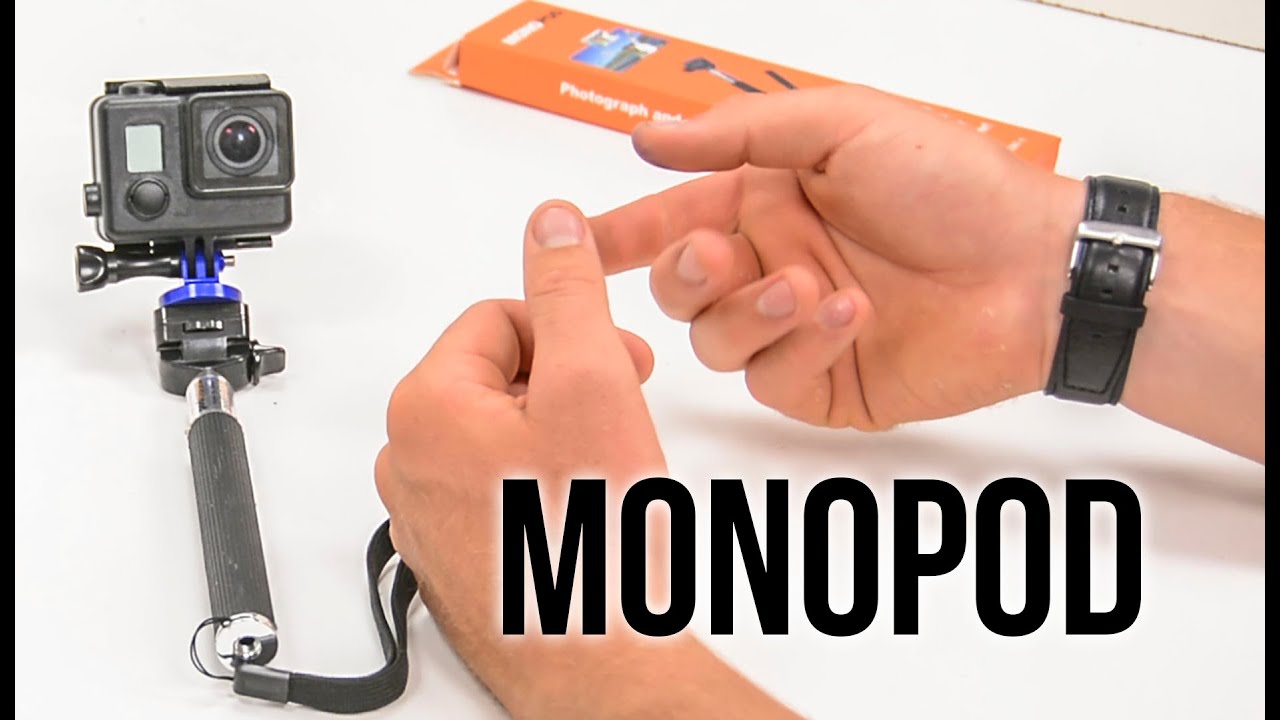
A monopod selfie stick is a handheld pole designed to hold your smartphone or camera. Unlike a tripod, it has just one leg, making it light and easy to carry. Most selfie sticks extend to different lengths, letting you capture wide group shots or new perspectives.
Modern selfie sticks usually connect to your phone using Bluetooth or a wired connection. Some even have built-in remote shutters so you can take photos without touching your phone.
Choosing The Right Monopod Selfie Stick
Not all selfie sticks are the same. Here are the main features to consider:
| Feature | Why It Matters |
|---|---|
| Length | Longer sticks capture more background or fit more people |
| Connection Type | Bluetooth offers wireless control; wired is more reliable |
| Build Material | Aluminum is strong and light; plastic is cheaper but less durable |
| Phone Mount | Adjustable mounts fit more devices securely |
Pro Tip: If you travel often, choose a foldable selfie stick that fits in your bag.

Credit: m.rediff.com
Setting Up Your Monopod Selfie Stick
Getting started is easy, but a few steps help you avoid common mistakes:
- Attach your device: Open the clamp and place your phone or camera securely. Make sure it’s centered to prevent shaking.
- Adjust the angle: Most selfie sticks let you tilt the mount up or down. Find an angle that flatters your face and includes your background.
- Connect to your phone: For Bluetooth models, turn on the stick and pair it with your phone in Bluetooth settings. Wired sticks usually plug into the headphone jack.
- Test the shutter: Press the button on the stick to check if your phone takes a picture. If not, check your connection or try another camera app.
| Step | Common Issue | Solution |
|---|---|---|
| Pairing Bluetooth | Not connecting | Restart both devices and try again |
| Mounting Phone | Phone slips or shakes | Re-center and tighten the clamp |
| Taking Photo | No response | Test the shutter with another app |
Taking Great Photos And Videos
A monopod selfie stick can do more than just basic selfies. Here’s how to get the best results:
- Use natural light whenever possible. Stand facing the light source so your face is clear.
- Extend the stick only as much as needed. A longer stick gives a wider view, but too far can make the photo look awkward or shaky.
- Try different angles. Hold the stick above for a classic look or at chest level for a more natural feel.
- Keep your arm steady. Brace your elbow against your side for better stability.
- Explore video features. Many users forget you can use the selfie stick for smooth panning shots or walking vlogs.
Example: When I tested a selfie stick during a city tour, I found that holding the stick slightly above my head gave a better view of the scenery behind me, rather than just my face.
Credit: www.youtube.com
Creative Uses For Monopod Selfie Sticks
You can use a monopod selfie stick for more than selfies:
- Group photos: Fit everyone in the shot without asking a stranger for help.
- Overhead shots: Capture crowds, food spreads, or scenes at concerts from above.
- Travel vlogs: Record smooth walking videos by holding the stick in front of you.
- Remote photography: Place the stick on a stable surface and use the remote to trigger your phone’s camera from a distance.
Here’s a quick comparison of different shot types you can try:
| Shot Type | Best Stick Length | Unique Benefit |
|---|---|---|
| Solo Selfie | Short (20-30cm) | Natural face proportions |
| Group Photo | Medium (50-70cm) | Everyone fits in frame |
| Overhead Shot | Long (80cm+) | Unique perspective |
Common Mistakes And How To Avoid Them
Many beginners repeat small errors that ruin their pictures or damage their devices:
- Not checking the clamp: A loose mount can cause your phone to fall. Always double-check before lifting the stick.
- Ignoring battery life: Bluetooth models need to be charged. Carry a small power bank if you’ll be out all day.
- Using in crowded places: Be careful in tight spaces. You might bump into people or objects.
- Forgetting about wind: In strong wind, a long selfie stick can be hard to control and may shake the camera.
Pro Tip: Practice at home before using your selfie stick outdoors, so you feel confident adjusting angles and using the shutter.

Credit: www.youtube.com
Safety And Etiquette
Using a selfie stick in public can sometimes annoy others or even be banned in certain places:
- Check rules: Some museums, concerts, and theme parks do not allow selfie sticks for safety reasons.
- Respect personal space: Avoid using long selfie sticks in crowds.
- Be aware of your surroundings: Don’t back into traffic or dangerous areas while focusing on your shot.
According to Wikipedia, several tourist sites have banned selfie sticks because of safety risks. Always check before you snap.
Care And Maintenance
A well-kept selfie stick lasts longer and works better:
- Clean the clamp and pole with a soft cloth to remove dust.
- Avoid water exposure unless your stick is waterproof.
- Charge Bluetooth models regularly.
- Store it collapsed to save space and prevent bending.
In my experience, storing the stick in its case also protects the phone mount from damage.
Frequently Asked Questions
How Can I Take Group Selfies With A Monopod Selfie Stick?
Use the longest extension that keeps everyone in frame. Angle the camera slightly downward for better composition. Set your camera to timer mode if your stick doesn’t have a remote shutter.
Can I Use A Monopod Selfie Stick With All Smartphones?
Most selfie sticks fit phones between 2. 2 to 3. 3 inches wide. If you have a large phone or a case, check the clamp size before buying. Some sticks come with adapters for action cameras too.