Turning off the flash on a Canon camera is a simple process, but there are different methods depending on your camera model. If you want natural photos or need to follow rules against flash photography, knowing how to control your camera’s flash is important. Many beginners miss that disabling flash can improve image quality in low-light or indoor situations by avoiding harsh shadows.
Table of Contents
Methods To Turn Off Flash On Canon Cameras
Canon cameras come in several types, including DSLR, mirrorless, and point-and-shoot models. Each has a slightly different way to disable the flash.
| Camera Type | Main Method | Extra Steps |
|---|---|---|
| DSLR | Use Mode Dial | Manual/Av Mode disables flash |
| Mirrorless | Menu Settings | Look for Flash Control option |
| Point-and-Shoot | Flash Button | Cycle through flash modes |
Using The Mode Dial
On most Canon DSLRs, turn the mode dial to Manual (M) or Aperture Priority (Av). These modes usually keep the flash off unless you manually pop it up. If you’re in Auto mode, the camera will often fire the flash automatically.
Flash Button And Menu
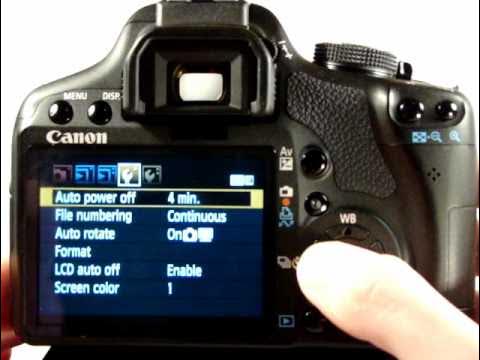
Many Canon cameras have a dedicated flash button. Press it until you see the flash off icon (often a lightning bolt with a line through it). In newer models, use the menu and find “Flash Control” to select “Disable.”
| Icon | Meaning |
|---|---|
| ⚡ | Flash On |
| ⚡/ | Flash Off |
Why Turn Off The Flash?
Disabling the flash can improve your photos in several ways:
- Natural look: The picture keeps ambient light, making skin tones more realistic.
- Less distraction: No bright burst that can disturb people or animals.
- Avoid reflection: Glass, mirrors, or shiny objects won’t show bright spots.
- Rules and etiquette: Many museums, events, and performances ban flash.
Credit: www.youtube.com
Common Mistakes To Avoid
- Forgetting to check flash settings before shooting in low light.
- Using Auto mode where the camera chooses flash for you.
- Not understanding icons; assuming flash is off when it’s still active.
- Ignoring menu options on newer models.
Beginners often miss that in Manual mode, the flash doesn’t fire unless you pop it up. Some also overlook that disabling flash can require both button and menu actions, especially on advanced models.
Practical Tips
- Try using a higher ISO or wider aperture if you need more light without flash.
- Practice in different modes to see how turning off flash affects your photos.
- For detailed guidance, Canon’s official support page offers step-by-step instructions (Canon Support USA).

Credit: community.usa.canon.com
Frequently Asked Questions
How Do I Know If The Flash Is Off?
Look for the flash off icon on your screen or viewfinder. Some cameras show a crossed-out lightning bolt.
Can I Turn Off Flash In Auto Mode?
Most Canon cameras don’t let you disable flash in full Auto. Switch to Program (P), Manual (M), or Aperture Priority (Av) to control flash.
Will Turning Off Flash Affect Image Quality?
It may make photos darker in low light. Adjust settings like ISO or use a tripod for better results.
Is Flash Always Bad For Photography?
No. Flash is useful for filling shadows or freezing motion. Turn it off only when you want natural lighting.
Can I Turn Off Flash For Every Shot?
Yes. Once you set flash off, it stays until you change modes or reset the camera. Double-check before important photos.
Learning to turn off flash on your Canon camera gives you more creative control and helps you adapt to any environment. With practice, you’ll quickly know which settings work best for the look you want.