Mounting a Ring Indoor Camera on the ceiling can give you a wider viewing angle and reduce blind spots in your home. Many people choose ceiling mounts to monitor large rooms or areas with high traffic. If you follow a few simple steps, you’ll have a safe and effective setup. This guide explains how to mount your camera, what tools you’ll need, and practical tips to get the best results.
Table of Contents
Why Ceiling Mount?
A ceiling mount gives the Ring Indoor Camera a clear, unobstructed view. It’s popular in living rooms, offices, and entryways where wall mounting isn’t practical. Ceiling placement can also help avoid tampering and keep the device away from pets or children. According to Ring, ceiling mounting improves coverage by up to 30% compared to wall placement.
What You Need
Before starting, gather the following:
- Ring Indoor Camera
- Mounting bracket (comes with camera)
- Screws and anchors
- Screwdriver or drill
- Ladder
- Pencil for marking
If your ceiling is concrete or brick, you’ll need special anchors. For drywall, standard anchors work fine.
| Material | Recommended Anchor |
|---|---|
| Drywall | Plastic anchor |
| Wood | Wood screw |
| Concrete | Masonry anchor |

Credit: www.youtube.com
Step-by-step Installation
- Choose the spot: Pick a place with a clear view and access to power. Avoid corners and places with direct sunlight.
- Mark the holes: Use the bracket to mark screw holes with a pencil.
- Drill holes: Select the right drill bit for your ceiling type.
- Insert anchors: Push or tap anchors into drilled holes.
- Attach bracket: Secure the bracket with screws.
- Mount camera: Snap or screw the camera onto the bracket.
- Adjust angle: Tilt the camera for best coverage.
- Plug in: Connect the camera to power and check the app for the view.
| Mount Type | Coverage Area | Difficulty |
|---|---|---|
| Wall | Moderate | Easy |
| Ceiling | Wide | Medium |
Tips For Best Results
- Place the camera at least 6 feet from the floor for better visibility.
- Check your Wi-Fi signal in the chosen spot using your phone.
- Tidy up cables with clips or covers to prevent accidents.
- Test the camera after mounting to make sure it covers the area you want.
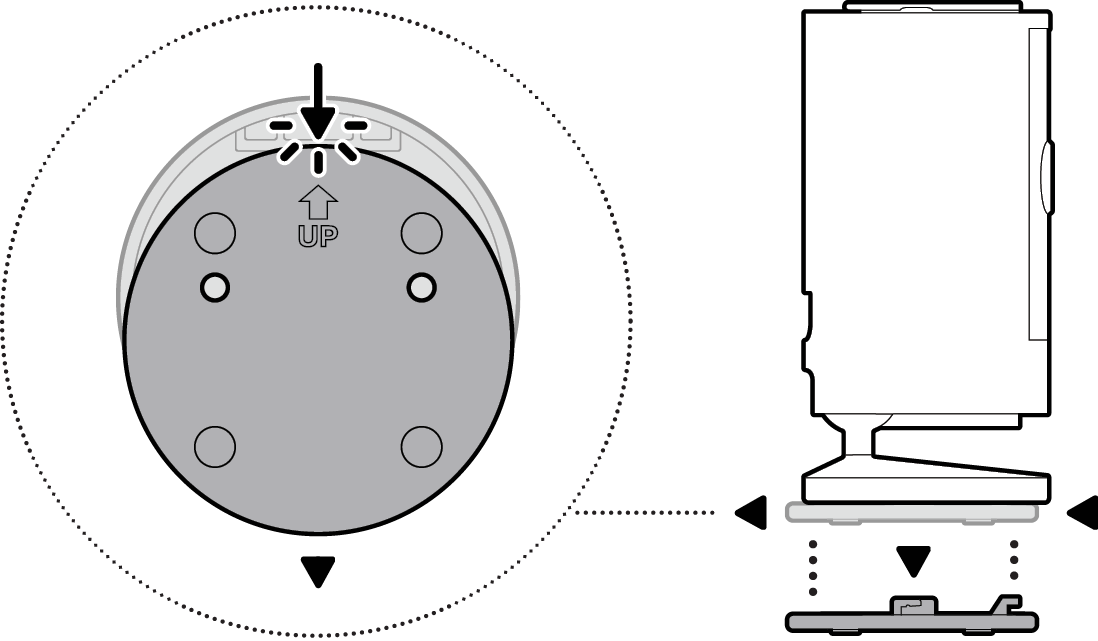
Many beginners forget to check the camera’s field of view before tightening the screws. Adjust before finalizing the installation.
Credit: ring.com
Frequently Asked Questions
Can I Mount Ring Indoor Camera Upside Down?
Yes, the camera works upside down. You can rotate the video in the Ring app for proper orientation.
Is Ceiling Mounting Safe For All Ceilings?
Most ceilings are safe if you use the correct anchors. Avoid mounting on weak panels or unsupported tiles.
Will The Camera Detect Motion From The Ceiling?
The camera’s motion detection is effective from the ceiling. Just angle it towards the area you want to monitor.
How Do I Hide The Power Cable?
Use cable clips or paintable covers. Some users run cables along ceiling edges for a cleaner look.
Do I Need Professional Help?
Most people can install themselves if they follow the steps. If you have a high ceiling or need extra wiring, consider an electrician.
For official details, visit the Ring Help Center.
Mounting your Ring Indoor Camera on the ceiling is simple with the right tools and careful planning. This setup gives you a clear view and helps keep your home secure.