Mounting a Ring Stick Up Camera is a smart way to improve your home security. Whether you want to watch your front porch, backyard, or garage, this camera offers flexible installation options. Many people feel unsure about the mounting process, but it’s easier than you think.
With a few tools and the right steps, your camera can be up and running in under 30 minutes.
Table of Contents
What You Need Before Mounting
Before you start, make sure you have these items:
- The Ring Stick Up Camera (battery or wired)
- Included mounting bracket and screws
- A screwdriver or drill
- Anchors (for mounting on masonry or stucco)
- A smartphone with the Ring app
Choose a location with a clear view, close to your Wi-Fi router, and at least 7-10 feet above the ground for the best coverage.
Step-by-step Mounting Guide
- Setup in the Ring App: Before mounting, connect your camera to Wi-Fi using the Ring app. This avoids climbing up and down during installation.
- Attach the Mounting Bracket: Hold the bracket against the wall. Use a pencil to mark screw holes. For wood or siding, you can drive screws directly. For brick, drill holes and insert anchors first.
- Secure the Camera: Slide or snap the camera onto the bracket. Tighten the security screw if included. Adjust the angle for the best view.
- Power Up: If using the battery version, insert the charged battery. For wired, connect to a power outlet.
- Check Video Feed: Use the app to make sure your camera’s view is clear and adjust if needed.

Credit: www.youtube.com
Surface Types Compared
Mounting works on many surfaces, but some need extra steps. Here’s a quick comparison:
| Surface | Tools Needed | Tips |
|---|---|---|
| Wood/Siding | Screwdriver | No anchors needed |
| Brick/Concrete | Drill & Masonry Bit | Use wall anchors |
| Stucco | Drill & Anchors | Seal holes after drilling |
Battery Vs Wired: Which Is Better?
Choosing between battery and wired versions depends on your needs.
| Feature | Battery | Wired |
|---|---|---|
| Installation | Easier, no wires | Needs outlet |
| Maintenance | Charge battery every few months | Low-maintenance |
| Placement | Flexible | Close to power |

Credit: www.youtube.com
Common Mistakes To Avoid
Many people mount their cameras too high or too low. Placing the camera above 10 feet can reduce face recognition, while too low makes it easy to tamper. Also, don’t skip the test step—always check the live view before finalizing.
A small but important tip: Angle the camera slightly downward. This reduces glare from sunlight and gives a better view of people approaching.
Frequently Asked Questions
How Do I Reset My Ring Stick Up Camera After Mounting?
Hold the setup button for 15 seconds until the light flashes. This resets the camera, letting you reconnect it in the app.
Can I Use The Camera Outdoors?
Yes, the camera is weather-resistant. Make sure all ports are closed, especially with the battery model.
What Is The Ideal Mounting Height?
Mount the camera at 7-10 feet for best results and clearer face detection.
Does Mounting Location Affect Wi-fi Signal?
Yes, walls and distance can weaken Wi-Fi. Place the camera within 30 feet of your router if possible.
Where Can I Find More Setup Help?
Visit the official Ring Help Center for detailed guides and troubleshooting.
Mounting your Ring Stick Up Camera is simple when you follow these steps and tips. With the right location and setup, you’ll boost your home’s security in minutes.
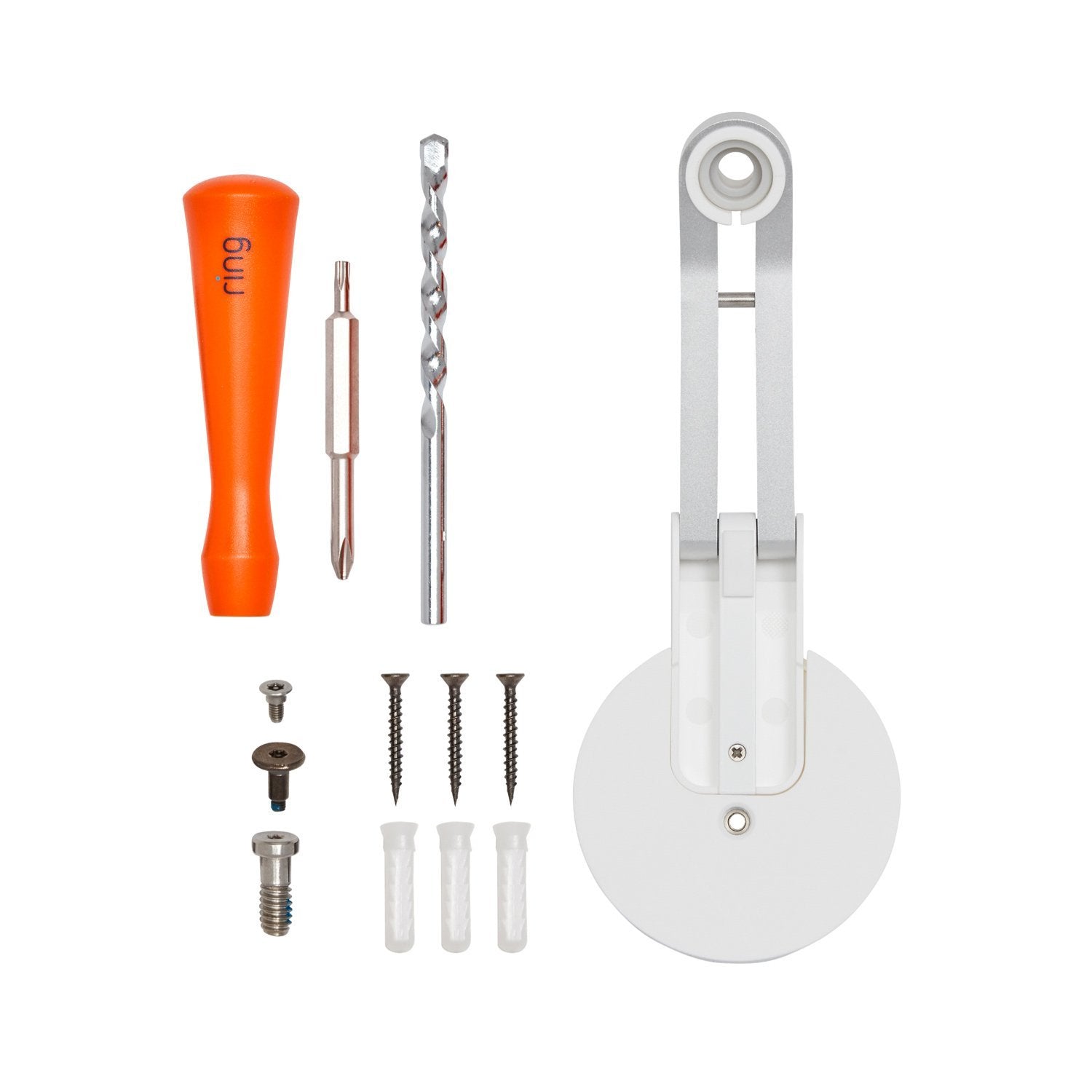
Credit: ring.com