Syncing your Godox flash to a trigger is a must for photographers who want reliable, off-camera lighting. Whether you shoot portraits, events, or products, proper syncing avoids missed shots and inconsistent results. Many beginners struggle with this step, but the process is actually straightforward if you know what to check. In this guide, you’ll learn how to sync Godox flashes to triggers, see common mistakes, and get real tips for smooth operation.
Table of Contents
Choosing The Right Godox Trigger
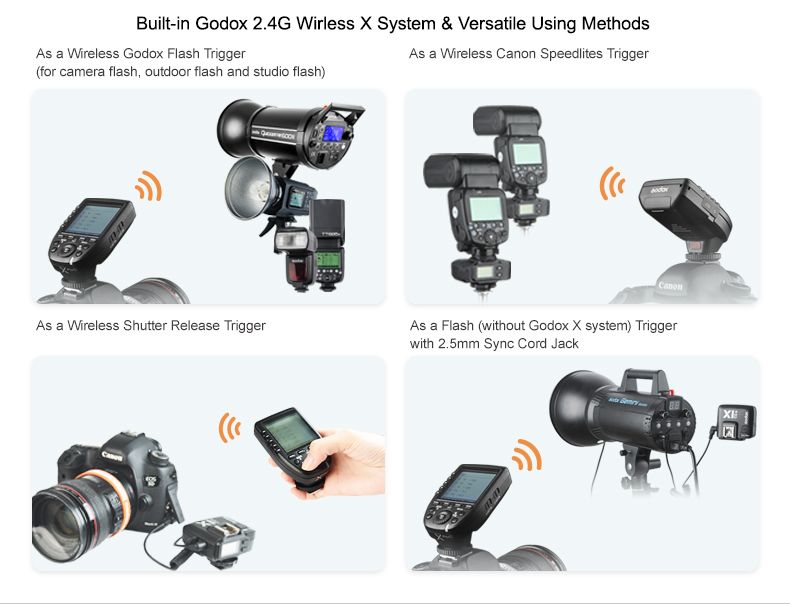
Godox offers several triggers. Picking the right one depends on your camera brand and flash model. For example, the Godox X2T and Godox XPro are popular choices for Canon, Nikon, Sony, and Fuji.
| Trigger Model | Camera Compatibility | Flash Compatibility |
|---|---|---|
| X2T | Canon, Nikon, Sony, Fuji | All Godox 2.4GHz flashes |
| XPro | Canon, Nikon, Sony, Fuji | All Godox 2.4GHz flashes |
If you use older Godox flashes, check if they support 2.4GHz wireless. This is the standard for most modern triggers.
Syncing Steps
Follow these steps to sync your Godox flash with your trigger:
- Turn on the flash and trigger.
- Set both to the same wireless channel. Channels range from 1–32.
- Match the group setting (A, B, C, etc.) If you use multiple flashes.
- Place the trigger on your camera’s hot shoe.
- Test by pressing the trigger’s “test” button. The flash should fire.
| Step | Flash Setting | Trigger Setting |
|---|---|---|
| Channel | 1–32 | 1–32 |
| Group | A/B/C/D | A/B/C/D |
Most Godox flashes display the channel and group on their screen. Use the buttons or dial to adjust.
Credit: www.redseachamber.org
Common Problems And Solutions
Some users find their flash won’t fire. Here are likely causes:
- Wrong channel or group: Double-check both devices.
- Trigger battery low: Replace batteries if the signal is weak.
- Flash not in wireless mode: Set to “Radio” or “Slave.”
- Hot shoe connection: Ensure the trigger fits snugly.
A less obvious mistake is mixing brands. Godox triggers only sync with Godox flashes unless you use universal modes.
Advanced Sync Features
Godox triggers offer features like High-Speed Sync (HSS) and TTL for automatic exposure. Check if your flash and trigger both support these functions.
| Feature | X2T | XPro |
|---|---|---|
| HSS | Yes | Yes |
| TTL | Yes | Yes |
Some flashes require firmware updates. Visit the Godox official website for downloads.
Getting your Godox flash synced to a trigger unlocks creative lighting. Remember, check settings carefully, and always test before a real shoot.

Credit: www.youtube.com
Frequently Asked Questions
How Do I Know If My Godox Flash Supports Wireless Triggering?
Look for 2.4GHz wireless or “Radio” mode in the flash menu. Most Godox flashes since 2015 support it.
Can I Use A Godox Trigger With A Non-godox Flash?
Only in manual mode and with basic sync. For advanced features, use Godox flashes.
What’s The Best Channel To Use For Outdoor Shoots?
Choose a channel (like 15–20) that’s less likely to have interference. Avoid channels used by other photographers nearby.
Why Does My Flash Fire Late Or Not At All?
Common causes are wrong channel/group, low batteries, or loose connections. Check each carefully.
Do I Need To Update Firmware For Syncing?
Sometimes. If your flash or trigger isn’t working with new cameras, check for updates on the Godox site.