Your Ring camera is a smart device designed to keep your home secure. But when you see the blue light flashing while charging, it can be confusing. Is it a problem, or just normal? Understanding the meaning behind this flashing blue light helps you know if your camera is working correctly or needs attention.
Table of Contents
What Does The Flashing Blue Light Mean?
The flashing blue light on your Ring camera typically signals activity or status. When charging, this light can mean different things:
- Device is charging: Most Ring cameras use a flashing blue light to show charging is happening.
- Setup mode: If the blue light flashes rapidly, your camera might be in setup mode, ready to connect.
- Firmware update: Sometimes, the camera flashes blue during software updates.
Here’s a quick comparison of blue light behaviors:
| Light Pattern | Meaning |
|---|---|
| Slow flashing blue | Charging in progress |
| Rapid flashing blue | Setup mode |
| Solid blue | Camera active or recording |
Is Flashing Blue During Charging Normal?
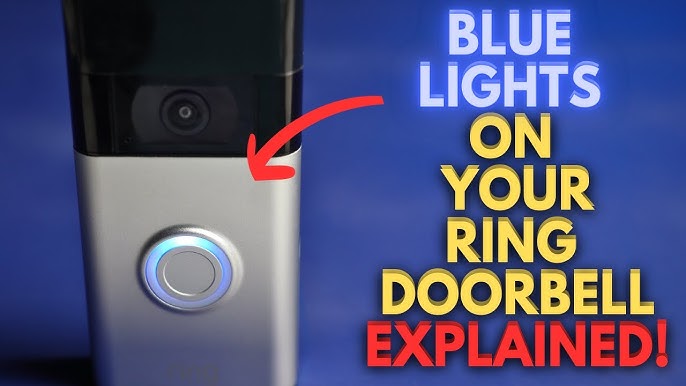
For most models, including Ring Video Doorbell and Stick Up Cam, flashing blue during charging is expected. It shows the camera is connected and receiving power. Once the battery is full, the light usually turns off or stays solid.
Some users worry if the flashing means a problem. In most cases, it does not. However, if the flashing continues after charging finishes, or the camera does not work, it could signal an issue.
Credit: www.youtube.com
Troubleshooting The Blue Light
If you notice unusual behavior, like constant flashing blue even when not charging, try these steps:
- Check the charger: Use the original Ring charger and cable. Other chargers may cause issues.
- Restart your camera: Remove and reinsert the battery, or unplug and plug back in.
- Update firmware: Make sure the camera’s software is up to date.
- Contact support: If problems persist, reach out to Ring support.
Ring’s official support page offers more details: Ring Support.
Here’s a simple troubleshooting comparison:
| Issue | Possible Cause | Solution |
|---|---|---|
| Flashing blue while charging | Normal operation | Wait for battery to charge |
| Flashing blue after charging | Firmware update or error | Restart or update camera |
| No blue light | Power issue | Check charger/cable |
Practical Tips
- Always use the original Ring charger for best results.
- Check the battery status in the Ring app for clear information.
- If the blue light flashes rapidly, the camera may be trying to connect to Wi-Fi. Complete the setup in the app.
Some beginners forget to check the app for updates or battery info, which can solve many problems quickly. Another common mistake is using non-Ring chargers, which may not charge properly.

Credit: www.reddit.com
Frequently Asked Questions
Why Does My Ring Camera Flash Blue While Charging?
The flashing blue light shows the camera is charging. It is a normal indicator for most Ring devices.
Is A Rapid Blue Flash A Sign Of A Problem?
Rapid flashing often means the camera is in setup mode or updating. Check the app for prompts.
Can A Faulty Charger Cause Blue Flashing Issues?
Yes, using a non-original charger can cause unexpected flashing or charging problems.
How Long Does The Blue Light Flash During Charging?
It typically flashes until the battery is fully charged. This can take several hours, depending on the model.
Should I Worry If The Blue Light Keeps Flashing After Charging?
If the camera works normally, it is likely updating. If not, restart the device or contact Ring support.
Seeing your Ring camera flashing blue when charging is usually a normal part of its operation. By understanding these signals and checking your app, you can keep your camera running smoothly and your home secure.