Removing a Blink Outdoor Camera from its mount can seem tricky, especially if you’re doing it for the first time. Whether you want to reposition, replace, or take your camera indoors, it’s important to do it the right way. This guide will help you remove your camera safely without damaging the device or mount.
Table of Contents
Tools And Preparation
You don’t need special tools to remove a Blink Outdoor Camera. However, a small screwdriver or a flat tool can help if the camera feels stuck. Before you start, make sure you have a clean, dry surface to place the camera once removed. Disconnect the camera from the Blink system using the app if you plan to store it or reset it.
Steps To Remove Blink Outdoor Camera From Mount
1. Check The Mount Type
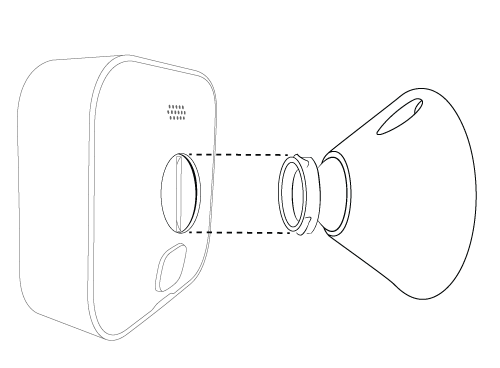
Blink Outdoor Cameras usually use a ball-and-socket mount or a back plate. Identify which one you have to avoid using too much force.
2. Hold The Camera Firmly
Use one hand to hold the mount steady and the other to grip the camera. This prevents both from slipping.
3. Twist Gently
For ball-and-socket mounts, gently twist the camera counterclockwise while pulling it away from the mount. You’ll feel a slight snap when it releases.
4. Release From Back Plate
If your camera uses a back plate, press the release tab (usually at the bottom) and slide the camera upwards until it detaches.
5. Inspect For Damage
After removal, check both the camera and mount for any cracks or wear.
Common Mount Types
Here’s a quick comparison of the most popular mounts:
| Mount Type | Removal Method | Difficulty |
|---|---|---|
| Ball-and-Socket | Twist and Pull | Easy |
| Back Plate | Slide Up | Easy |
| Corner Mount | Unscrew | Medium |

Credit: www.reddit.com
Safety Tips
- Always remove the batteries before handling the camera for longer periods.
- Avoid using metal tools that can scratch the plastic.
- If the camera is high up, use a stable ladder and ask for help.
Quick Data: Blink Outdoor Camera Usage
| Feature | Stat |
|---|---|
| Battery Life | Up to 2 years |
| Weight | 4 ounces |
| Mount Types | 3 main types |
Practical Insights
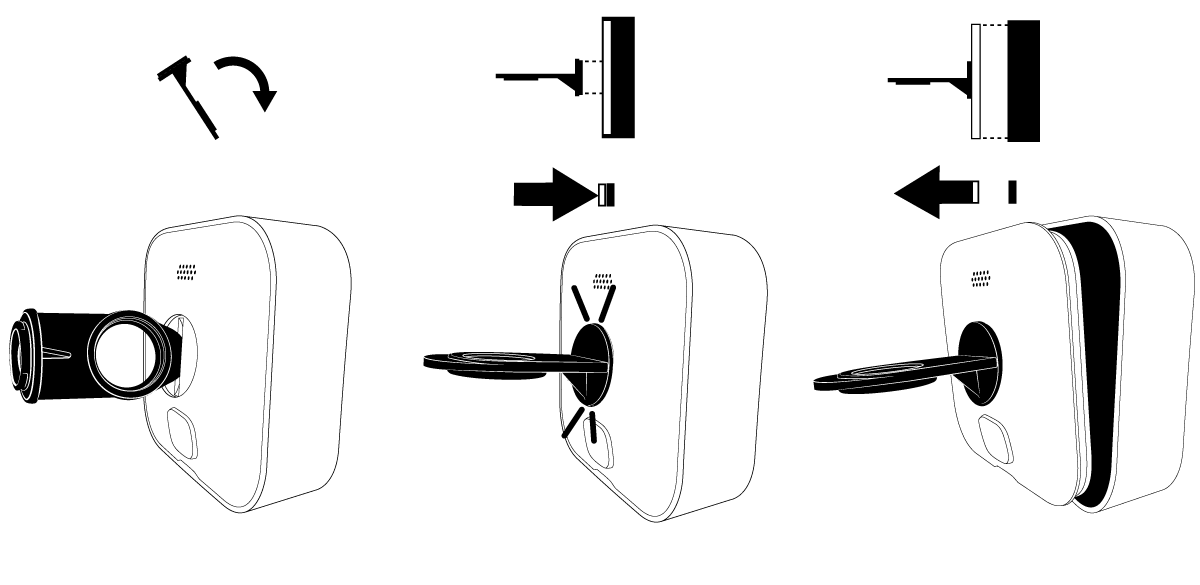
Many users try to pull the camera straight out, which can break the mounting clips. Always check for a release tab or twist mechanism. Some mounts may gather dirt, making removal harder. In that case, lightly wiggle the camera to loosen it instead of forcing it.
If you’re planning to remount the camera, clean both the mounting surface and the camera’s back. This will prevent future issues with the fit.
Credit: support.blinkforhome.com
When To Replace The Mount
If you notice cracks or the camera does not snap in securely, it may be time to replace the mount. Replacement mounts are available from the official Blink store or major retailers.
For more details on Blink camera maintenance, see the official Blink support page.
Frequently Asked Questions
How Do I Know Which Blink Mount I Have?
Check the shape and presence of a release tab. Ball-and-socket mounts have a round joint; back plates are flat.
Can I Remove The Camera Without Tools?
Yes, most Blink Outdoor Cameras can be removed by hand. Use a flat tool only if stuck.
Will Removing The Camera Affect My Video Recordings?
No, removing the camera only stops new recordings. Old videos stay in your Blink app.
Is It Safe To Remount The Camera After Removal?
Yes, as long as the mount isn’t damaged and the clips still hold tightly.
What If My Camera Won’t Detach?
Try wiggling gently or check for hidden screws or tabs. Avoid using force to prevent damage.
Credit: support.blinkforhome.com