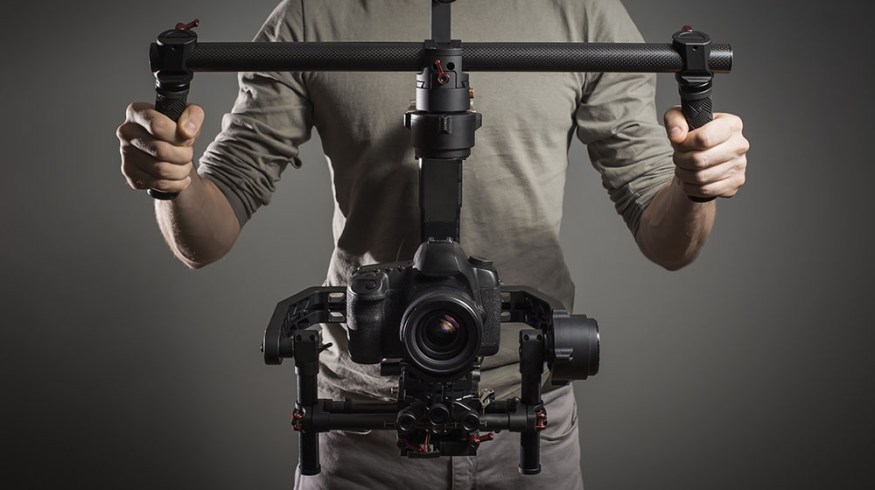
A camera stabilizer is a key tool for smooth, shake-free video. Whether you use a handheld gimbal or a mechanical steadicam, stabilizers can develop problems over time. Fixing these issues isn’t always hard, but it does require a careful approach. Let’s go through the steps to get your camera stabilizer working like new.
Table of Contents
Common Stabilizer Problems
Most stabilizer issues fall into a few categories:
- Unbalanced camera
- Loose joints or screws
- Motor errors (for electronic stabilizers)
- Firmware glitches
Knowing where the problem starts helps you fix it faster.
| Problem | Symptoms | Fix Difficulty |
|---|---|---|
| Unbalanced setup | Wobbling, drifting | Easy |
| Loose screws | Squeaks, rattling | Easy |
| Motor failure | No stabilization | Moderate |
Step-by-step Fixes
1. Rebalance Your Stabilizer
Incorrect balance is the top cause of shaky footage. Remove your camera, reset all adjustments, then mount it again. Adjust the:
- Tilt axis (forward/back)
- Roll axis (side-to-side)
- Pan axis (left/right)
Your camera should stay level when you let go.
2. Tighten All Screws
Use a small screwdriver or Allen key. Even a slightly loose screw can cause vibrations. Check each joint and connection point.
3. Update Or Reset Firmware
If you use a motorized gimbal, connect it to the manufacturer’s app or software. Check for firmware updates. If issues remain, try a factory reset. This often solves random glitches.
4. Calibrate The Motors
Most gimbals offer auto-calibration. Start this process through the app. Make sure your stabilizer is on a flat surface and not moving during calibration.
5. Inspect For Physical Damage
Check for bent arms, cracks, or broken wires. Small damage can affect performance. If you find serious issues, contact the manufacturer.
| Fix | Tools Needed | Time Required |
|---|---|---|
| Rebalancing | None | 5-10 min |
| Tightening screws | Screwdriver | 5 min |
| Firmware update | Phone or PC | 10-15 min |

Credit: www.youtube.com
Pro Tips Most Miss
- Mark your best balance spots with tape or marker for faster setup next time.
- Test stabilization with both slow and fast movements. Sometimes problems only appear when you move quickly.
Many beginners forget to check for camera weight limits. Using a camera that is too heavy or too light can damage the stabilizer’s motors.
When To Seek Professional Help
If your stabilizer still shakes, makes odd noises, or won’t turn on, you may need expert repair. Attempting to fix complex motor or wiring issues yourself can void warranties.
For more technical guidance, visit B&H Photo Video.
A working camera stabilizer keeps your shots professional and smooth. Fixing common issues is often simple with the right approach.
Credit: www.premiumbeat.com
Frequently Asked Questions
Why Does My Camera Stabilizer Keep Drifting?
Usually, incorrect balance or outdated firmware causes drifting. Reset the balance and update your firmware.
How Often Should I Calibrate My Stabilizer?
Calibrate after changing cameras or lenses, or if you notice shaky footage.
What If My Gimbal Makes A Buzzing Noise?
A buzzing sound means the motors are working too hard. Rebalance your setup and check for loose parts.
Can I Use Any Camera On My Stabilizer?
No. Check the weight limit for your model. Overloading can damage the motors.
Is It Safe To Open My Stabilizer For Repairs?
Opening it yourself can void the warranty. Only do this if you have experience and the warranty has expired.