Charging your Lumix camera battery is simple, but doing it correctly ensures your camera lasts longer and is always ready for action. Many new users make mistakes that can damage the battery or reduce its life. This guide will show you the right way to charge your Lumix battery, highlight common errors, and provide some extra tips to keep your camera running smoothly.
Table of Contents
Understanding Your Lumix Battery
Most Lumix cameras use a lithium-ion battery, which is light and powerful. These batteries usually last for about 300–500 charge cycles before performance drops. Knowing the model of your battery is important because charger types and charging times can vary. For example, the Lumix DMC-G7 uses the DMW-BLG10 battery, while the Lumix GH5 uses DMW-BLF19.
| Camera Model | Battery Model | Average Charging Time |
|---|---|---|
| Lumix DMC-G7 | DMW-BLG10 | 2 hours |
| Lumix GH5 | DMW-BLF19 | 2.5 hours |
| Lumix LX100 II | DMW-BLG10 | 2 hours |
How To Charge A Lumix Camera Battery
Charging a Lumix battery can be done in two main ways:
1. Using An External Charger
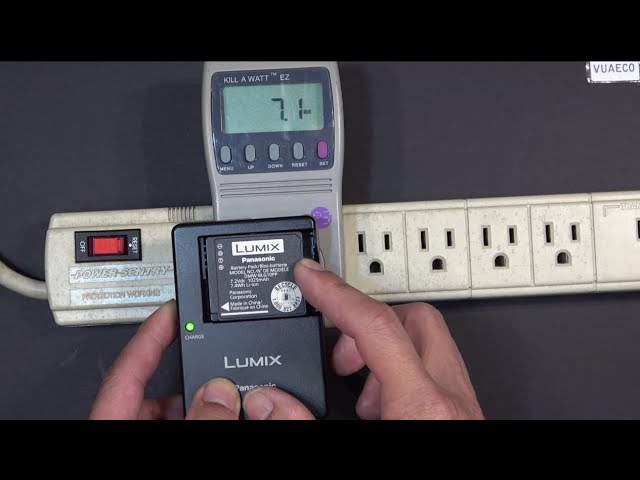
Remove the battery from the camera. Insert it into the supplied charger. Connect the charger to a wall outlet. The LED light will turn on, usually red, indicating charging. When fully charged, the LED turns green or goes off.
2. Charging Inside The Camera Via Usb
Some newer Lumix cameras support USB charging. Connect your camera to a power source using the USB cable. The camera’s indicator will show charging status. This method is handy when you do not have the external charger.
| Charging Method | Pros | Cons |
|---|---|---|
| External Charger | Faster, safe for battery | Need to remove battery |
| USB Charging | Convenient, charge anywhere | Slower, not all models support |
Credit: www.youtube.com
Practical Charging Tips
- Always use the original charger for best safety.
- Avoid charging in extreme temperatures (below 32°F or above 104°F).
- Do not overcharge. Remove the battery once fully charged.
- If storing batteries, keep them at about 50% charge.
- Check battery contacts for dirt or corrosion.
Many beginners forget to check compatibility. Using a wrong charger can damage both battery and camera. Also, charging from a weak USB source (like an old laptop) is often too slow and can cause errors.
Frequently Asked Questions
How Long Does It Take To Charge A Lumix Battery?
Most Lumix batteries take 2 to 2.5 hours to charge fully, depending on the model and charger type.
Can I Use Third-party Chargers?
It’s possible, but original chargers are safer. Third-party chargers may charge too fast or unevenly, risking battery life.
Is It Safe To Leave The Battery Charging Overnight?
Not recommended. Remove the battery when charged. Overcharging can heat the battery and reduce its lifespan.
Why Isn’t My Battery Charging?
Check the charger connections, power source, and battery contacts. If everything seems fine, your battery may be faulty or too old.
Can I Charge My Lumix Battery In The Camera?
Yes, if your camera supports USB charging. Check your model’s manual or Panasonic Lumix official site for details.
Charging your Lumix camera battery correctly keeps your camera ready and extends battery life. Follow these steps, avoid common mistakes, and your camera will always be prepared for your next shot.

Credit: help.na.panasonic.com