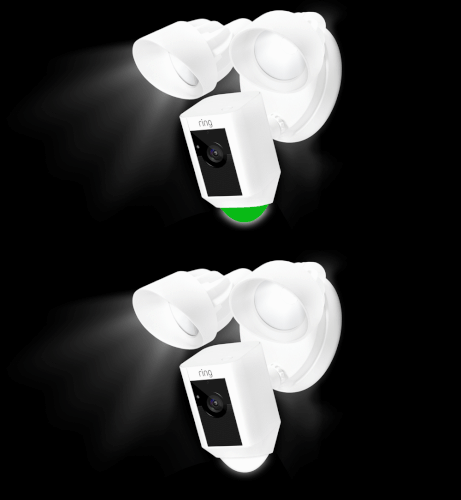
Your Ring camera is a trusted tool for home security. But seeing a flashing white light can be confusing or worrying. Understanding what this signal means can help you fix problems quickly and keep your camera working smoothly. Let’s break down the reasons, solutions, and important details you need to know.
Table of Contents
Common Causes Of White Flashing Light
A flashing white light on your Ring camera is not always a sign of trouble. Here are the most frequent reasons:
- Setup Mode: When your camera is ready to connect to Wi-Fi, it flashes white. This happens during first-time setup or after a reset.
- Wi-Fi Connection Issues: If the camera struggles to connect to your network, you’ll see the white flash. This can be due to weak signal or wrong password.
- Firmware Update: Ring cameras sometimes flash white while updating software. This is normal and should stop once the update finishes.
- Power Cycling: After power loss or restart, the device may flash white as it reconnects.
- Hardware Problems: In rare cases, hardware failure can cause the light to flash.
Here’s a quick comparison of what each light signal means:
| Light Color | Meaning | User Action |
|---|---|---|
| Solid White | Camera on and ready | None |
| Flashing White | Setup, update, or error | Troubleshoot |
| Blue | Recording or speaking | Optional |
Troubleshooting Steps
To solve the flashing white issue, try these steps:
- Check Wi-Fi: Make sure your router is working and the signal is strong.
- Restart Camera: Unplug for 30 seconds, then reconnect.
- Reset Device: Hold the setup button for 15 seconds to reset the camera.
- Verify Password: Double-check your Wi-Fi password during setup.
- Update Firmware: Ensure your camera is running the latest version.
If the light keeps flashing after all steps, contact Ring support.
| Step | Difficulty | Success Rate |
|---|---|---|
| Check Wi-Fi | Easy | 80% |
| Restart Camera | Easy | 75% |
| Reset Device | Medium | 60% |
| Update Firmware | Medium | 70% |

Credit: www.youtube.com
Extra Tips And Insights
Many beginners miss these points:
- Wi-Fi interference: Devices like microwaves or cordless phones can weaken your signal.
- Placement matters: Cameras too far from the router often show connection problems.
- Ring app notifications: Check the app for alerts or details about the flashing light.
For more details on troubleshooting smart cameras, visit Ring Support.
Keeping your Ring camera’s firmware updated and your network strong will help avoid most flashing light issues. Don’t ignore the signal—solving it early keeps your home safer.
Frequently Asked Questions
Why Does My Ring Camera Flash White During Setup?
The camera flashes white to show it is ready to connect to Wi-Fi. This is normal in setup mode.
Can A Weak Wi-fi Signal Cause The Flashing White Light?
Yes, poor signal often leads to connection problems and the camera flashes white as a warning.
How Long Should The Camera Flash White After A Reset?
Usually, it lasts 1–3 minutes. If it continues, check your Wi-Fi and setup steps.
Is The Flashing White Light A Sign Of Hardware Failure?
Rarely. Most flashing lights are due to setup or network issues. Hardware problems are uncommon.
What Should I Do If The Light Keeps Flashing After Troubleshooting?
Contact Ring support for advanced help. Persistent flashing may need professional repair or replacement.
A flashing white light doesn’t mean you’re unsafe—it’s a signal to check your camera’s setup or network. With these tips, you can solve the issue quickly and keep your home secure.
Credit: ring.com