Mounting a Ring camera can be simple, but many homeowners wonder if it’s possible to install the device upside down. Maybe you want a better angle, or your wall space is limited. But before flipping your camera, it’s smart to know how this choice affects your video, motion detection, and the device’s long-term performance.
Table of Contents
Can You Install A Ring Camera Upside Down?
Most Ring cameras are designed to be mounted in one direction—right side up. However, some models allow flexibility. For example, the Ring Stick Up Cam can be placed on ceilings or walls, even upside down. But other models, like the classic Ring Video Doorbell, are intended for upright installation only.
Here’s a quick comparison:
| Model | Can Be Mounted Upside Down? | Image Rotation Option |
|---|---|---|
| Stick Up Cam | Yes | Yes |
| Spotlight Cam | No | No |
| Video Doorbell | No | No |
Pro tip: Always check your model’s manual before mounting in a non-standard way.
How Upside Down Installation Affects Performance
Mounting a Ring camera upside down can impact several features:
- Video orientation: Some models let you rotate the video feed in the app. Others will show an upside-down image, which can be confusing.
- Motion detection: Sensors may not work as expected if the camera is not upright. You may miss important motion zones.
- Night vision: Infrared LEDs are optimized for standard installation. An upside-down camera may not light the right area.
Here’s what happens with different features:
| Feature | Normal Install | Upside Down |
|---|---|---|
| Video Orientation | Correct | May need manual rotation |
| Motion Zones | Accurate | Potential errors |
| Night Vision | Optimal | Reduced performance |
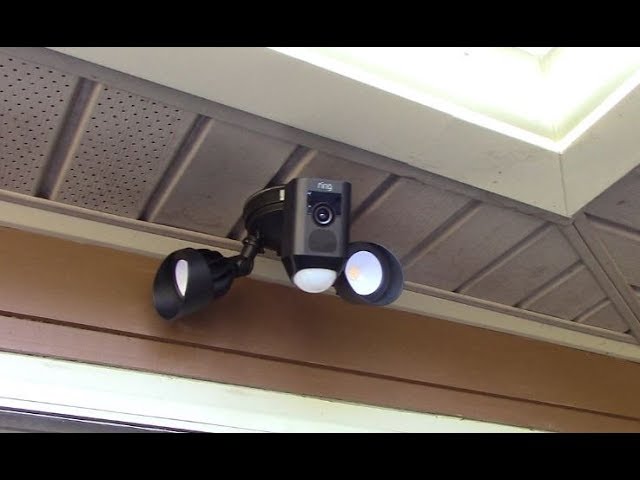
Credit: www.youtube.com
Common Mistakes When Mounting Upside Down
Some users try to flip their Ring camera without considering these factors:
- Forgetting to adjust the video in the app (if the model allows)
- Ignoring the effect on motion detection
- Covering or blocking the microphone or speaker
- Using non-original mounts, which might not hold the camera firmly
If you want to mount upside down, always test the camera view and motion alerts before relying on it for home security.
Alternative Solutions
If you need a different angle, consider these options:
- Use a corner mount or ceiling mount made for your camera model
- Choose a camera with a rotatable base
- Adjust the camera’s position in the app if supported
For more installation tips, visit Ring’s official support.

Credit: www.reddit.com
Frequently Asked Questions
Can All Ring Cameras Be Mounted Upside Down?
No. Only some models, like the Stick Up Cam, are designed for flexible mounting. Always check your camera’s manual.
Will The Video Be Upside Down If I Flip My Camera?
For many models, yes. Some allow you to rotate the image in settings, but others do not.
Does Mounting Upside Down Affect Motion Alerts?
It can. The motion detection zones might not work correctly if the camera orientation is not as designed.
Is Upside Down Installation Covered By Ring’s Warranty?
If mounting goes against the manual, you may void the warranty. Always follow manufacturer guidelines.
What’s The Best Way To Get A Unique Camera Angle?
Use a mount made for your camera model, or pick a camera with a flexible base. Avoid risky installations for better security.