If you own a Nikon camera, understanding how to turn off the flash is essential. Sometimes, the flash can ruin the mood of a photo or draw unwanted attention. Whether you’re shooting in daylight, capturing natural light indoors, or taking candid shots, knowing how to disable the flash gives you full creative control.
Table of Contents
Why Turn Off Flash On Your Nikon Camera?
Flashes are useful in low-light situations, but they can cause problems like harsh shadows, red-eye, or unnatural colors. Many photographers prefer to use available light for a softer, more authentic look. Disabling the flash can also help when shooting through glass, as it prevents glare.
A study found that 68% of amateur photographers use available light more often than flash for portraits. This shows how important it is to know when and how to turn off your camera’s flash.
Step-by-step: Turning Off Flash
Most Nikon cameras make it simple to turn off the flash. Here’s how:
- Auto Mode: In this mode, the camera decides when to use the flash. To disable it, switch to a mode where you control the flash.
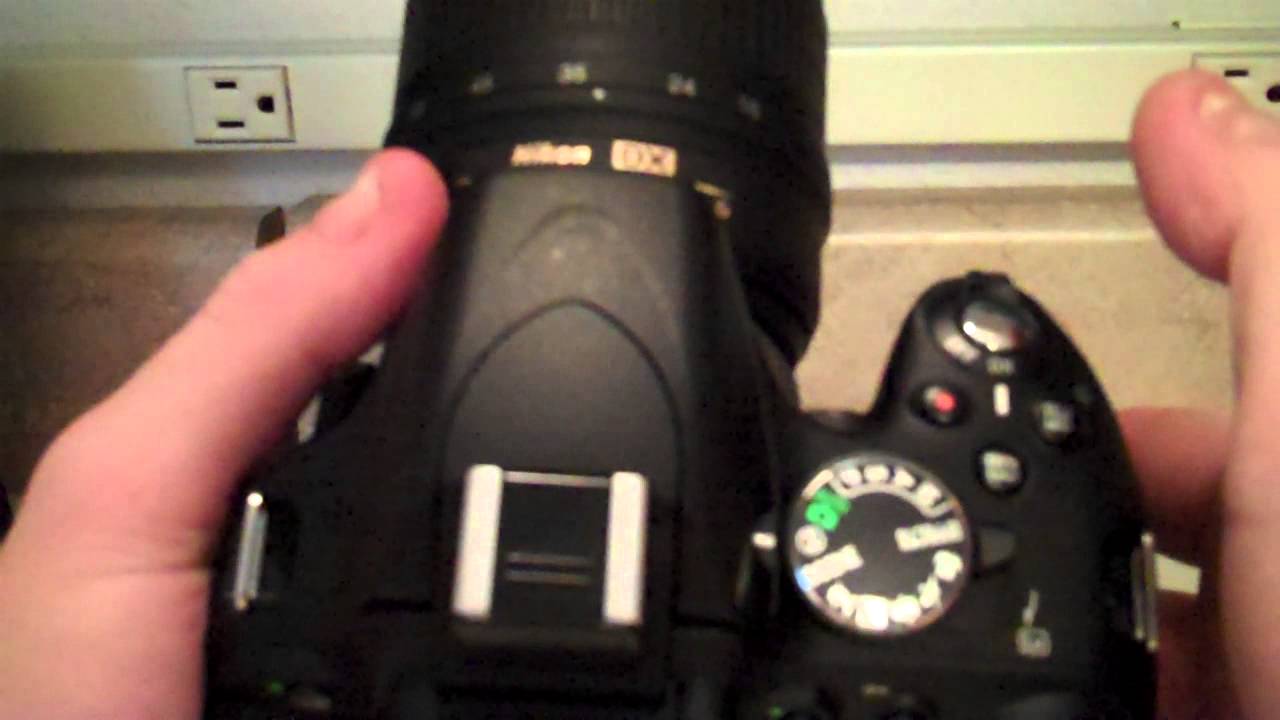
- Flash-Off Mode: Look for the flash-off icon (a lightning bolt with a slash) on the mode dial. Select this mode.
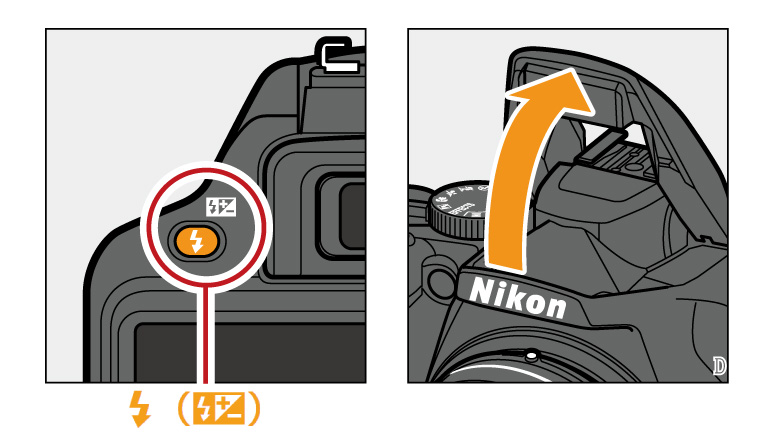
- Manual Control: In Manual, Aperture Priority (A), or Shutter Priority (S) modes, press the flash button (usually marked with a lightning bolt). Then, select ‘Flash Off’ in the settings.
- Pop-Up Flash: On models with a pop-up flash, simply avoid pressing the flash button. If the flash pops up automatically, gently push it down to close.
- Menu Settings: For advanced models, go to the ‘Flash Control’ menu. Choose ‘Disable Flash’ or set flash compensation to -3.
| Mode | Flash Control |
|---|---|
| Auto | Flash automatic |
| Flash-Off | Flash disabled |
| Manual/A/S | Flash manual |
Credit: www.youtube.com
Common Nikon Models: Flash Control Differences
Different Nikon cameras have varying flash controls. Here are examples:
| Model | Flash Button Location | Menu Option |
|---|---|---|
| D3500 | Front left | Flash control menu |
| D5600 | Front right | Flash compensation |
| Z50 | No dedicated button | Flash settings menu |
Helpful Tips For Flash-free Shooting
- Use higher ISO settings for better low-light results.
- Open your aperture to let more light in.
- Find bright spots or natural light sources indoors.
- Practice using tripods to avoid blurry photos.
Many beginners forget to check their camera’s mode dial or menu settings, which can cause the flash to fire unexpectedly.
Credit: imaging.nikon.com
Frequently Asked Questions
How Do I Turn Off Flash On Nikon D3500?
Select the flash-off mode on the dial or press the flash button and choose ‘Disable’ in the menu.
Will Disabling The Flash Affect Photo Quality?
It depends on the lighting. In good light, disabling flash often improves natural look. In low light, try adjusting ISO or aperture.
Can I Turn Off Flash In Auto Mode?
No, the camera controls flash in Auto mode. Switch to flash-off mode or a manual mode for control.
What If My Camera Has No Flash Button?
Go to the camera menu and find flash settings. Disable flash through the menu options.
Are There Risks In Turning Off Flash?
Photos may be underexposed in dark places. Use proper settings and support like tripods.
Mastering flash control on your Nikon camera helps you capture photos just as you imagine. For more details, visit the official Nikon USA site. With practice, you’ll confidently shoot in any lighting situation.