Fujifilm cameras are popular for both hobbyists and professionals. One feature that many users look for is USB mass storage mode. This function allows you to connect your camera to a computer and access your photos directly, like a USB drive. If you’re curious about which Fujifilm models support this, you’re in the right place.
Table of Contents
Understanding Usb Mass Storage Mode
USB mass storage mode is simple. When enabled, your camera acts like a flash drive. You can copy, move, or delete files without special software. This is different from PTP mode (Picture Transfer Protocol), which only allows limited file transfers and is slower. For quick access and easy backups, mass storage mode is best.
Fujifilm Cameras That Support Usb Mass Storage
Not all Fujifilm cameras offer this mode. The feature is more common in older models and entry-level cameras. Here are some models known for supporting USB mass storage:
1. Finepix Series
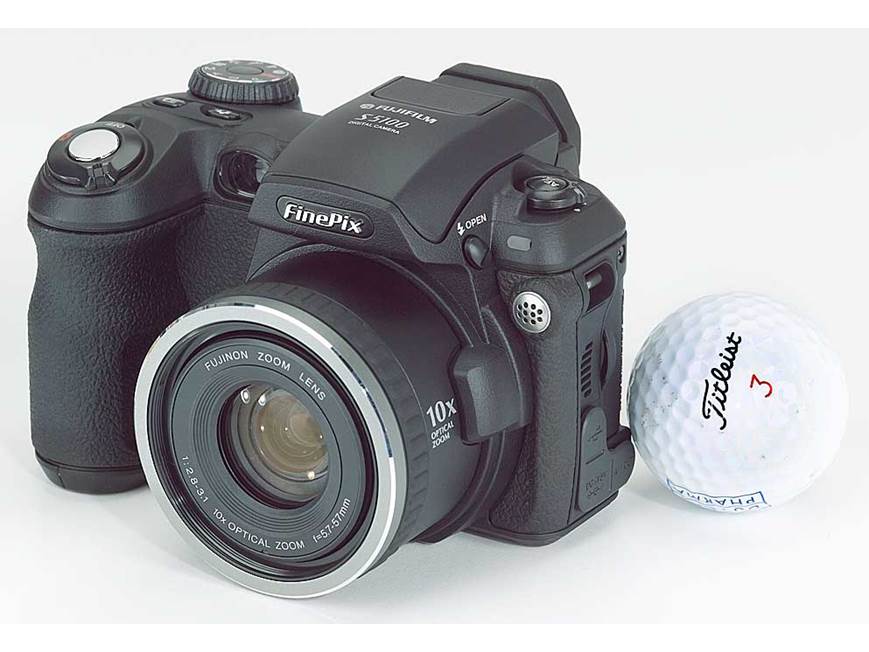
Most FinePix cameras, especially from 2008-2015, include this feature. Examples: FinePix S4200, S4500, S8600, and JX series.
2. X Series (selected Models)
Early X series cameras like the X10 and X20 support it, but recent X-T and X-Pro models usually don’t.
| Model | USB Mass Storage | Year |
|---|---|---|
| FinePix S4200 | Yes | 2012 |
| X10 | Yes | 2011 |
| X-T3 | No | 2018 |
3. Instax Cameras
Most Instax digital cameras do not support USB mass storage. They require SD card removal for file transfer.
Models Without Usb Mass Storage
Many new X Series models, like X-T4, X-T5, and X100V, rely on PTP or SD card readers.
| Model | USB Mass Storage |
|---|---|
| X-T4 | No |
| X-T5 | No |
| X100V | No |
Credit: www.crutchfield.com
How To Check Your Fujifilm Camera
To confirm if your camera supports USB mass storage, try these steps:
- Connect your camera to the computer with a USB cable.
- Look for a prompt to choose “USB” or “Mass Storage” mode.
- If no prompt appears, check the camera’s menu for “USB Settings.”
- If your computer detects the camera as a drive, it supports the mode.
Many users don’t realize that even if their camera lacks USB mass storage, a simple SD card reader gives faster file access.
Practical Tips For File Transfers
- Use high-speed USB cables for faster transfers.
- If your camera only supports PTP, transferring many files can be slow.
- Avoid deleting files directly from the computer; do it on the camera to prevent file system errors.
Some models require firmware updates to unlock USB mass storage. Always check the manufacturer’s website for updates.
Credit: amateurphotographer.com
Frequently Asked Questions
What Is Usb Mass Storage Mode?
USB mass storage mode lets your camera appear as a USB drive on your computer. You can easily copy or move photos.
Why Don’t Newer Fujifilm Cameras Have This Mode?
Newer models focus on wireless transfer and SD card usage. USB mass storage is less common because of faster alternatives.
Can I Use Usb Mass Storage With Mac Computers?
Yes, if your camera supports it. The camera will show as a drive in Finder. Otherwise, use an SD card reader.
Are There Risks To Using Usb Mass Storage?
Rarely, but improper removal can corrupt files. Always eject the camera safely before unplugging.
Where Can I Find More Details About Fujifilm Camera Compatibility?
The official Fujifilm site has detailed manuals and compatibility lists.
fujifilm Support
Choosing the right camera depends on your workflow. For easy transfers, check for USB mass storage support before buying. This small feature can save you time and effort.