Many Canon camera users find themselves in a tough spot when their battery dies and the original charger is missing. Whether you’re traveling, shooting outdoors, or just misplaced your charger, there are practical ways to recharge your Canon camera battery safely. This guide covers reliable alternatives, important precautions, and tips most beginners overlook.
Table of Contents
Charging Without The Official Charger
Canon batteries often use Li-ion cells, which need careful handling. Luckily, several options exist if you’re without the official charger.
1. Usb Charging (if Supported)
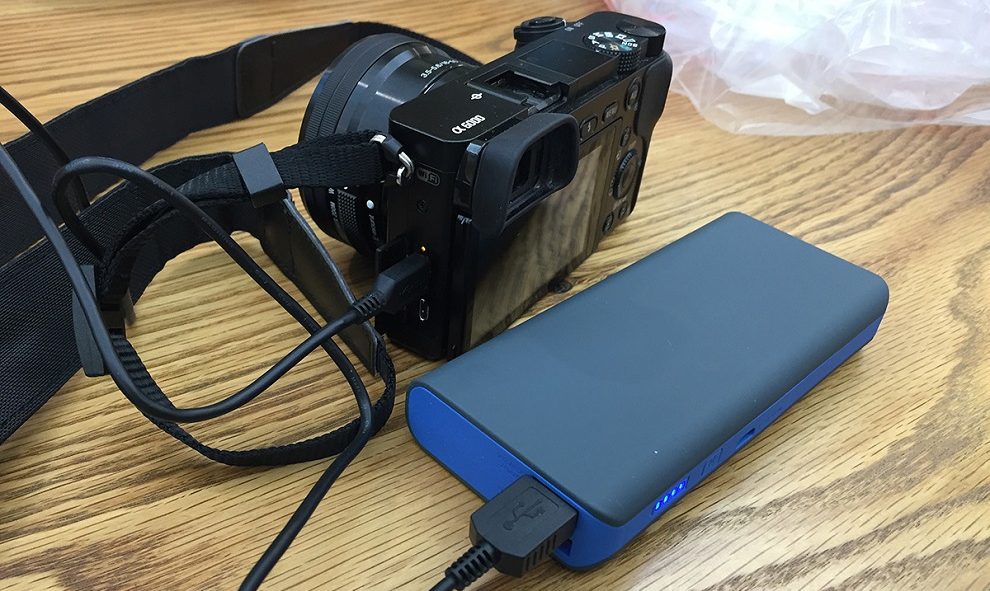
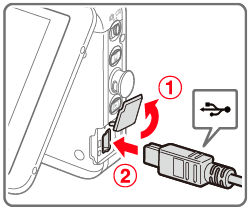
Some newer Canon cameras, especially mirrorless models like the EOS M50 Mark II, support direct USB charging. Simply connect your camera to a USB power source using the correct cable.
- Use the cable that came with your camera or a high-quality replacement.
- Plug into a wall adapter, computer, or power bank.
- Charging time is usually longer than with the official charger.
Non-obvious insight: Not all Canon cameras allow USB charging, so check your manual or Canon’s official support page before trying.
2. Universal Battery Charger
A universal battery charger can charge most Canon batteries. These chargers have adjustable pins that contact the battery terminals.
- Remove the battery from your camera.
- Align the charger pins with the battery’s positive and negative terminals.
- Plug into a wall outlet.
Universal chargers are inexpensive and found at electronics stores. However, make sure the voltage and current match your battery’s requirements to avoid damage.
3. Diy Methods (last Resort)
Some users attempt DIY charging by connecting wires from a USB cable directly to the battery terminals. This method is risky and can damage your battery or cause fire. Only use as a last resort, and never leave the battery unattended.
Usb Charging Vs. Universal Charger
Here’s how USB charging and universal chargers compare:
| Feature | USB Charging | Universal Charger |
|---|---|---|
| Convenience | High (if supported) | Medium |
| Safety | Very safe | Safe if used properly |
| Speed | Slower | Faster |

Credit: www.youtube.com
Important Safety Tips
Charging without the official charger isn’t risk-free. Remember these safety pointers:
- Never use damaged batteries or cables.
- Don’t expose batteries to heat or water.
- Use only chargers with the right voltage and current.
- Monitor batteries while charging, and unplug when full.
Mistakes To Avoid
Beginners often:
- Assume all cameras support USB charging (they don’t).
- Overcharge batteries, reducing lifespan.
- Use low-quality, unregulated chargers.
If you’re unsure about your camera model’s features, visit the official Canon Support page.
Credit: sajdikovehumence.sk
Charging Time Comparison
Charging times vary by method and battery size.
| Method | Typical Time (Hours) |
|---|---|
| Official Charger | 2 |
| USB Charging | 3–4 |
| Universal Charger | 2–2.5 |
Frequently Asked Questions
Can I Charge A Canon Battery With A Phone Charger?
Most phone chargers work only if your camera supports USB charging. Check your camera’s manual.
Is It Safe To Use A Universal Charger?
Yes, if you select the correct voltage and current. Avoid cheap, unregulated chargers.
Can I Charge The Battery In The Camera?
Many modern Canon cameras allow in-camera charging via USB, but older models do not.
What Should I Do If The Battery Overheats?
Stop charging immediately and let the battery cool down. Overheating can damage the battery.
Are Diy Charging Methods Recommended?
DIY charging is risky and not recommended. Use proper chargers whenever possible to ensure safety.
When you’re in a bind, it’s possible to charge your Canon camera battery without a charger. Just use these methods carefully, and always prioritize safety to keep your gear in top shape.
Credit: support.usa.canon.com