Keeping your Ring camera battery charged ensures your home stays secure 24/7. Many new users feel unsure about the right way to charge the battery, how often it needs charging, or what steps to follow. This guide breaks down the process into simple steps, highlights common mistakes, and shares useful tips for getting the most out of your Ring camera.
Table of Contents
Identifying Your Ring Camera Model
Before charging, check your Ring camera model. Different models use different batteries. Most Ring Stick Up Cam and Ring Video Doorbell models use a removable Quick Release Battery Pack. Others, like Ring Spotlight Cam, may have built-in batteries.
| Model | Battery Type | Charging Method |
|---|---|---|
| Ring Video Doorbell 2/3/4 | Removable | Micro-USB |
| Ring Stick Up Cam | Removable | Micro-USB |
| Ring Spotlight Cam | Removable/Built-in | Micro-USB/Direct Plug |
You can find your model on the device or in the Ring app under device settings.
How To Remove And Charge The Battery
- Open the Ring app to check battery level. It’s best to recharge when it drops below 20%.
- Press the release tab on your camera to remove the battery pack.
- Plug the battery into a micro-USB cable (usually included). A small LED will turn red while charging and green when fully charged. Charging takes about 5-10 hours depending on battery size and charger speed.
- Once fully charged, reinsert the battery until it clicks.
| Battery Level (%) | Charging Time (Hours) | LED Indicator |
|---|---|---|
| 0-20 | 7-10 | Red |
| 21-80 | 3-6 | Red |
| 81-100 | 1-2 | Green |
Many users forget to push the battery in all the way, causing the camera not to power up. Always check the battery is seated properly.
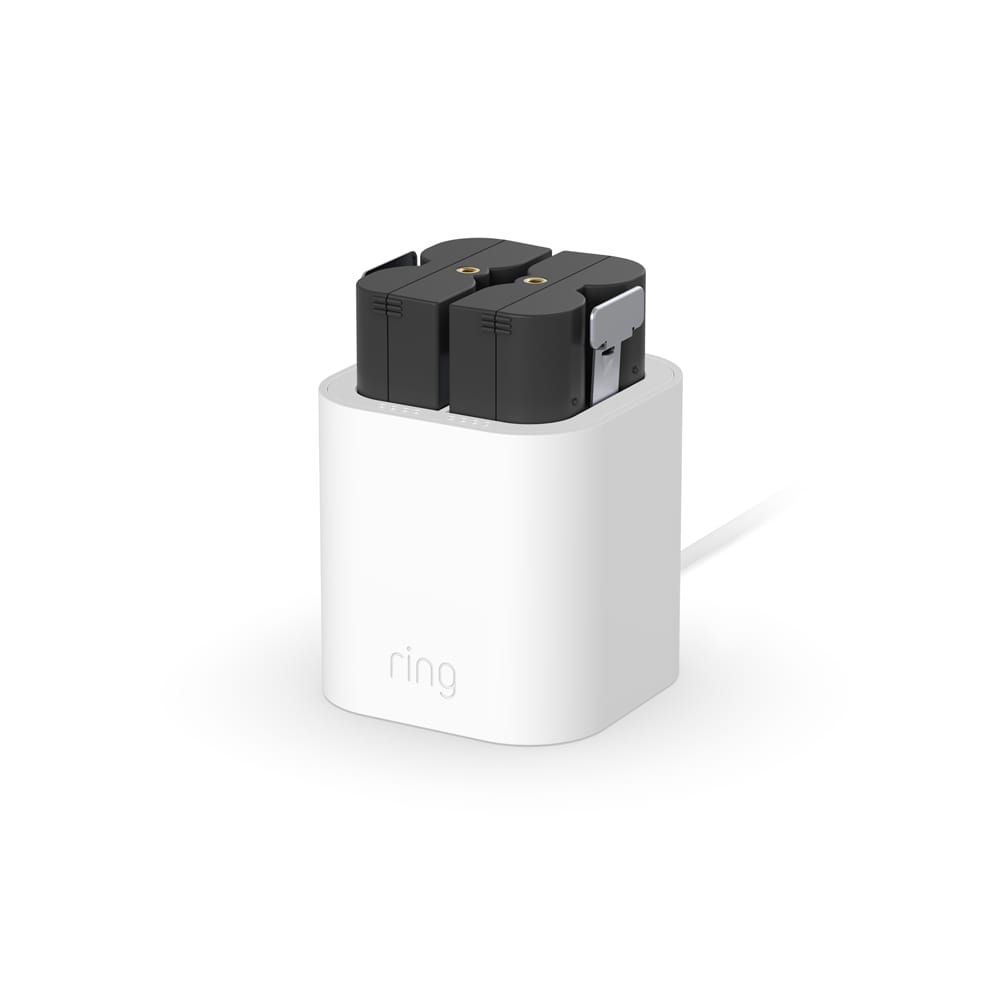
Credit: ring.com
Tips For Better Battery Life
- Reduce motion sensitivity in the app to cut down on recordings.
- Adjust the video resolution; lower settings use less power.
- Keep your camera out of direct sunlight to avoid overheating.
- Always keep a spare battery charged to avoid downtime.
Most Ring batteries last 2-6 months per charge, depending on usage and weather. Cold weather drains batteries faster, so keep this in mind during winter.
Frequently Asked Questions
How Do I Know When My Ring Camera Battery Needs Charging?
Check the Ring app for battery status. The app will alert you when the battery is low.
Can I Use My Ring Camera While Charging The Battery?
No, you must remove the battery to charge it. Some wired models allow charging while in use.
How Long Does It Take To Fully Charge A Ring Battery?
Usually between 5 to 10 hours, depending on the battery size and USB charger.
Does Cold Weather Affect Ring Battery Life?
Yes. Batteries drain faster in temperatures below 40°F (4°C).
Where Can I Buy Official Ring Replacement Batteries?
Buy only from the official Ring store to avoid low-quality imitations.
Charging your Ring camera battery is simple and keeps your device reliable. With regular checks and smart settings, you’ll rarely have surprises. Remember, a well-charged Ring camera protects your home day and night.

Credit: www.youtube.com